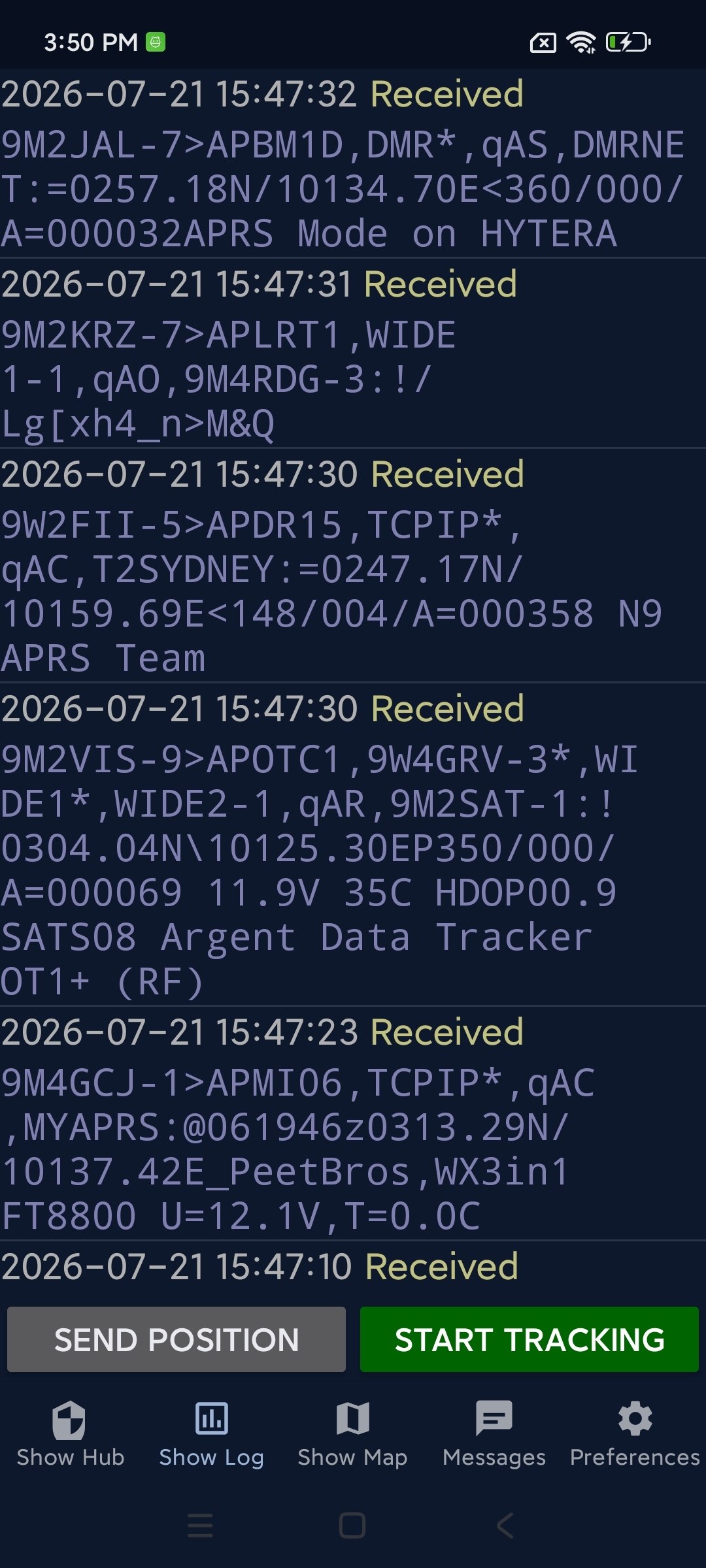
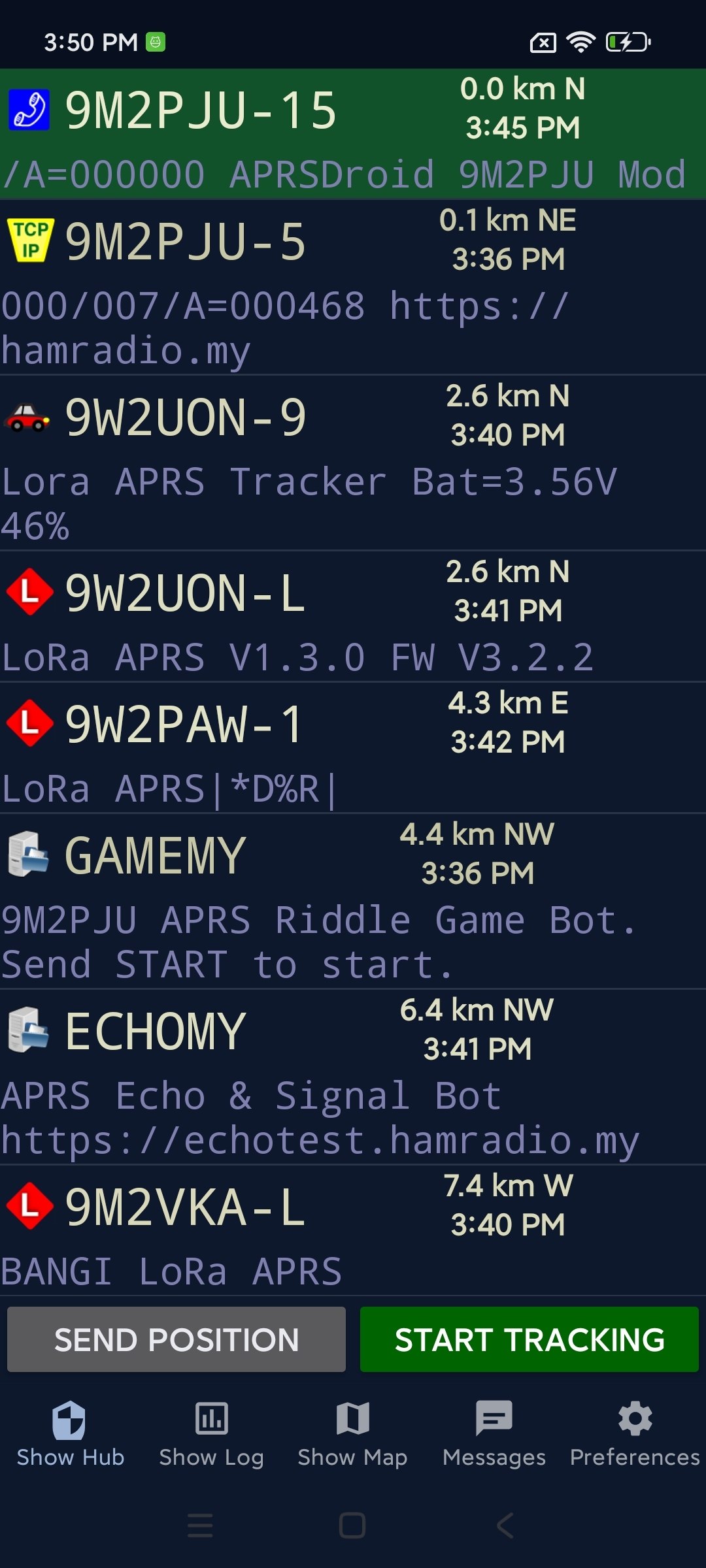
Screenshots
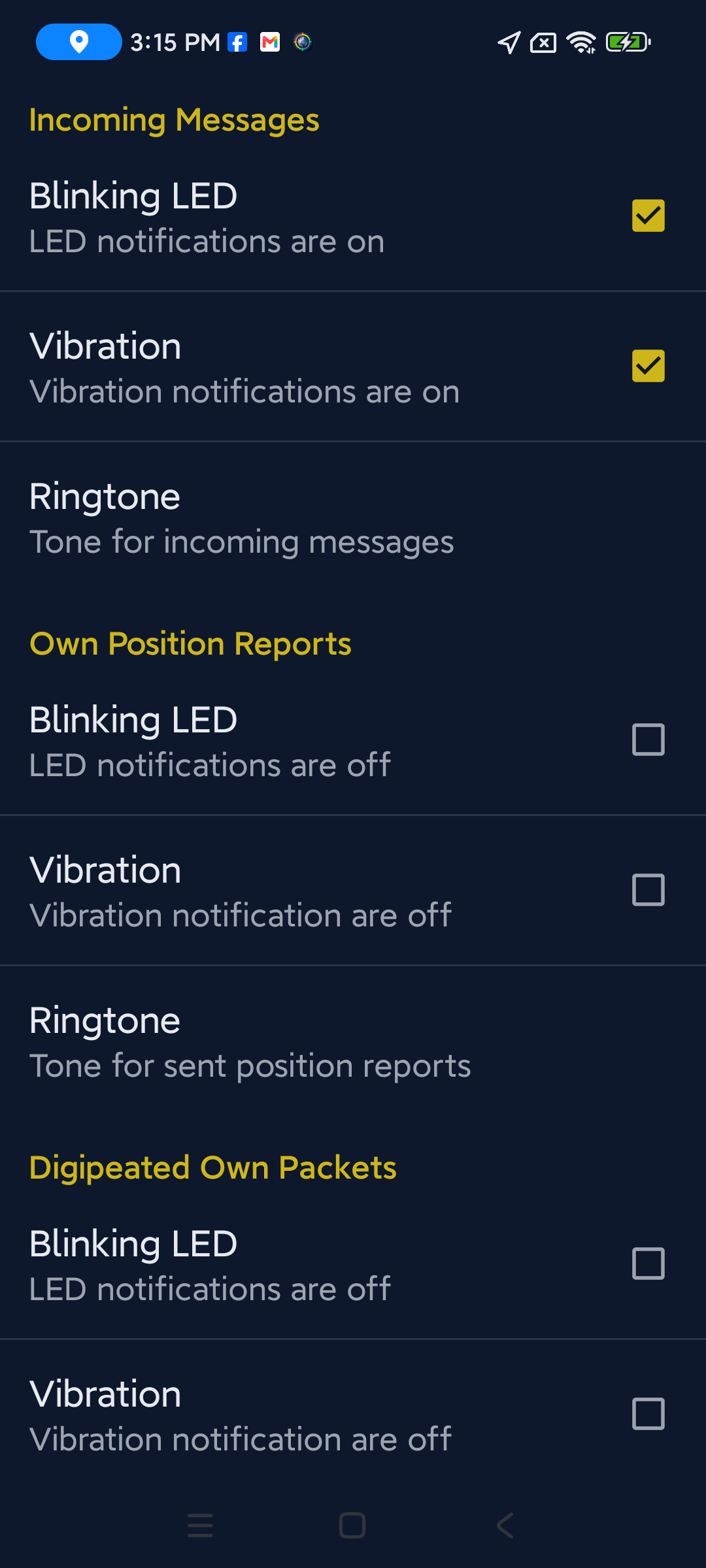
A look at the app in action on a real device.
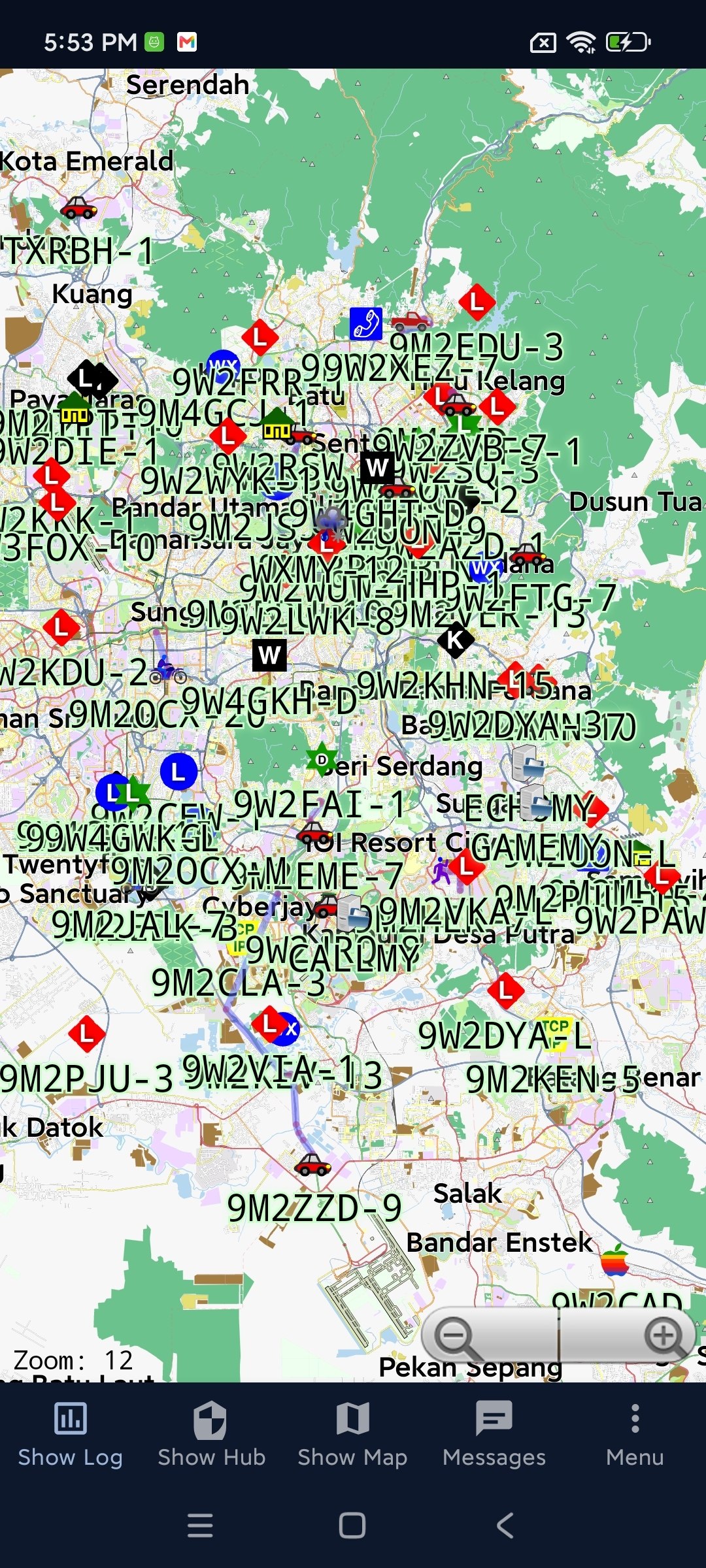
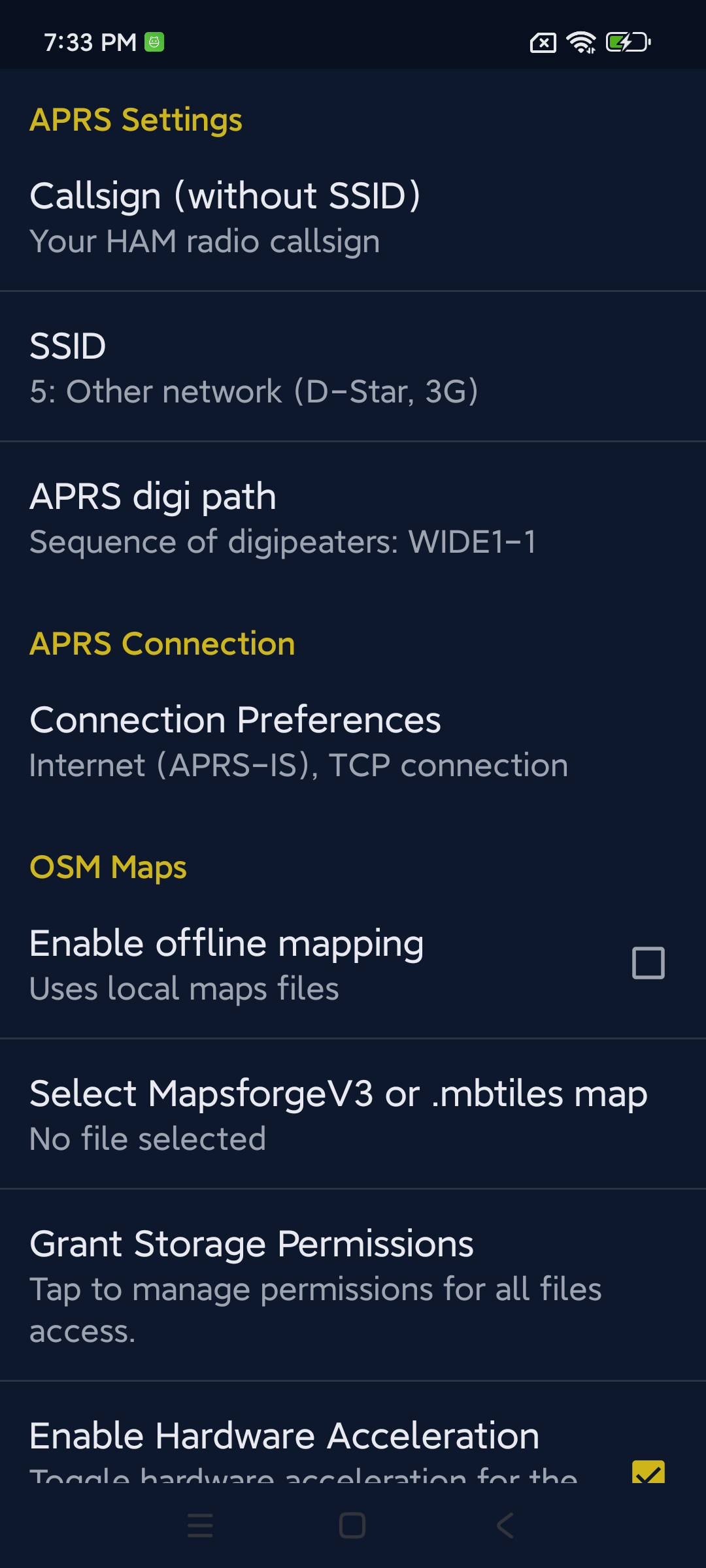
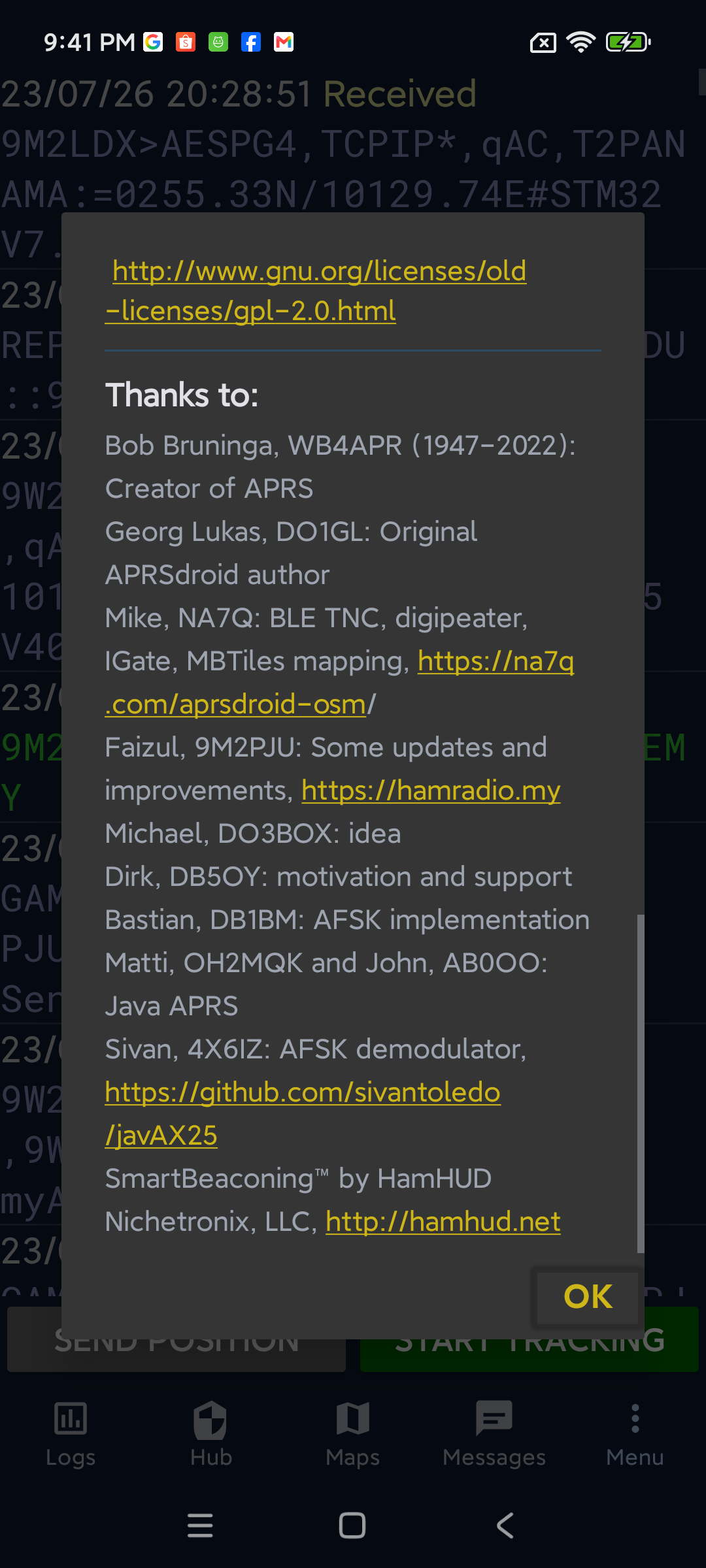
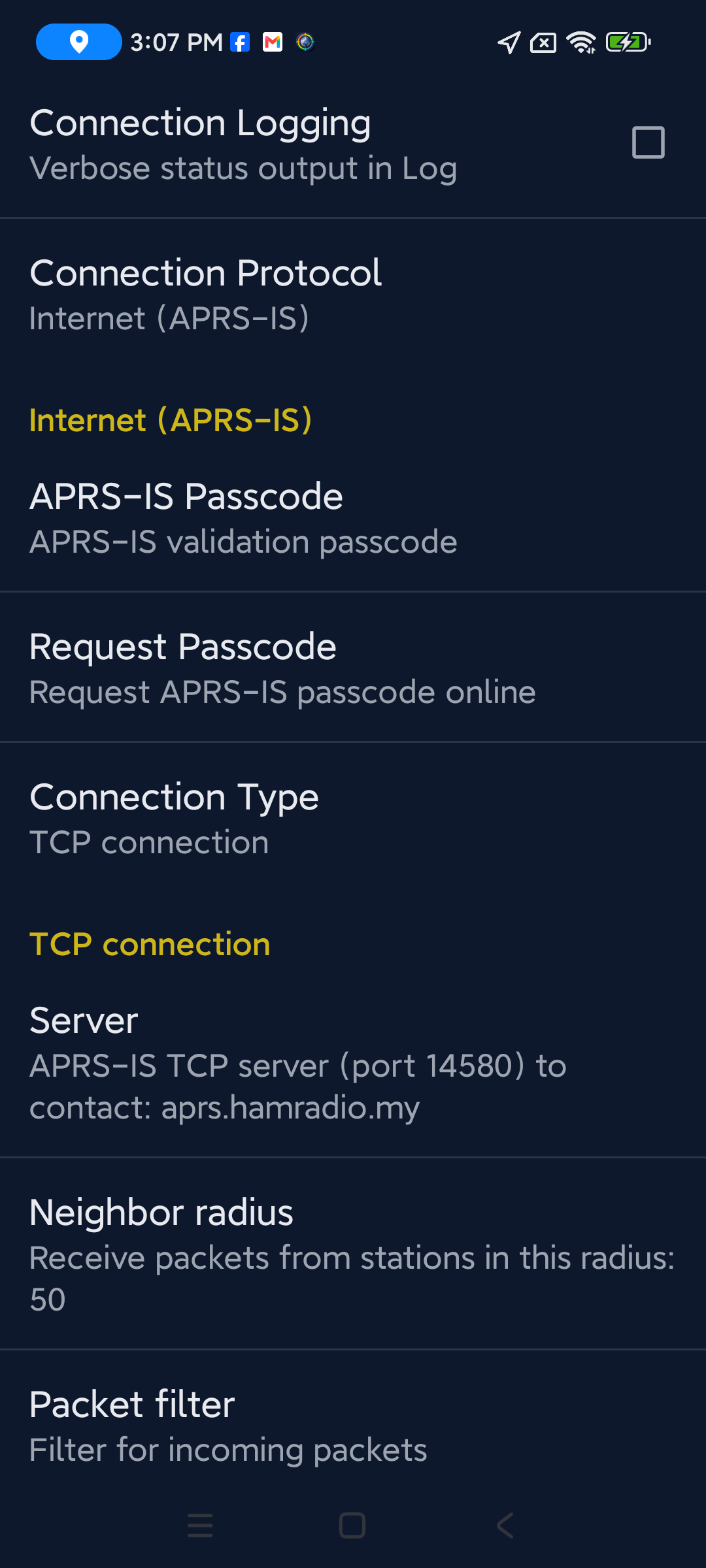
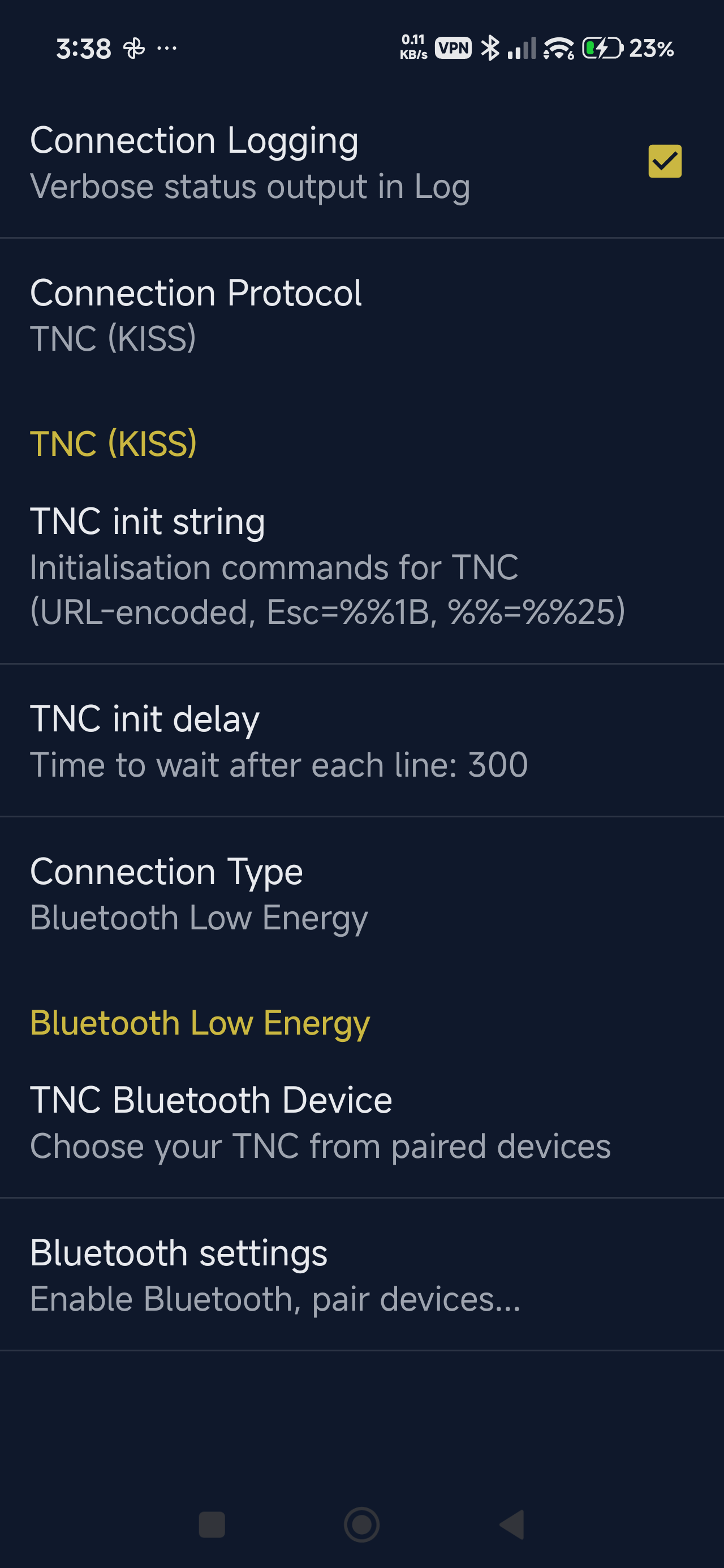
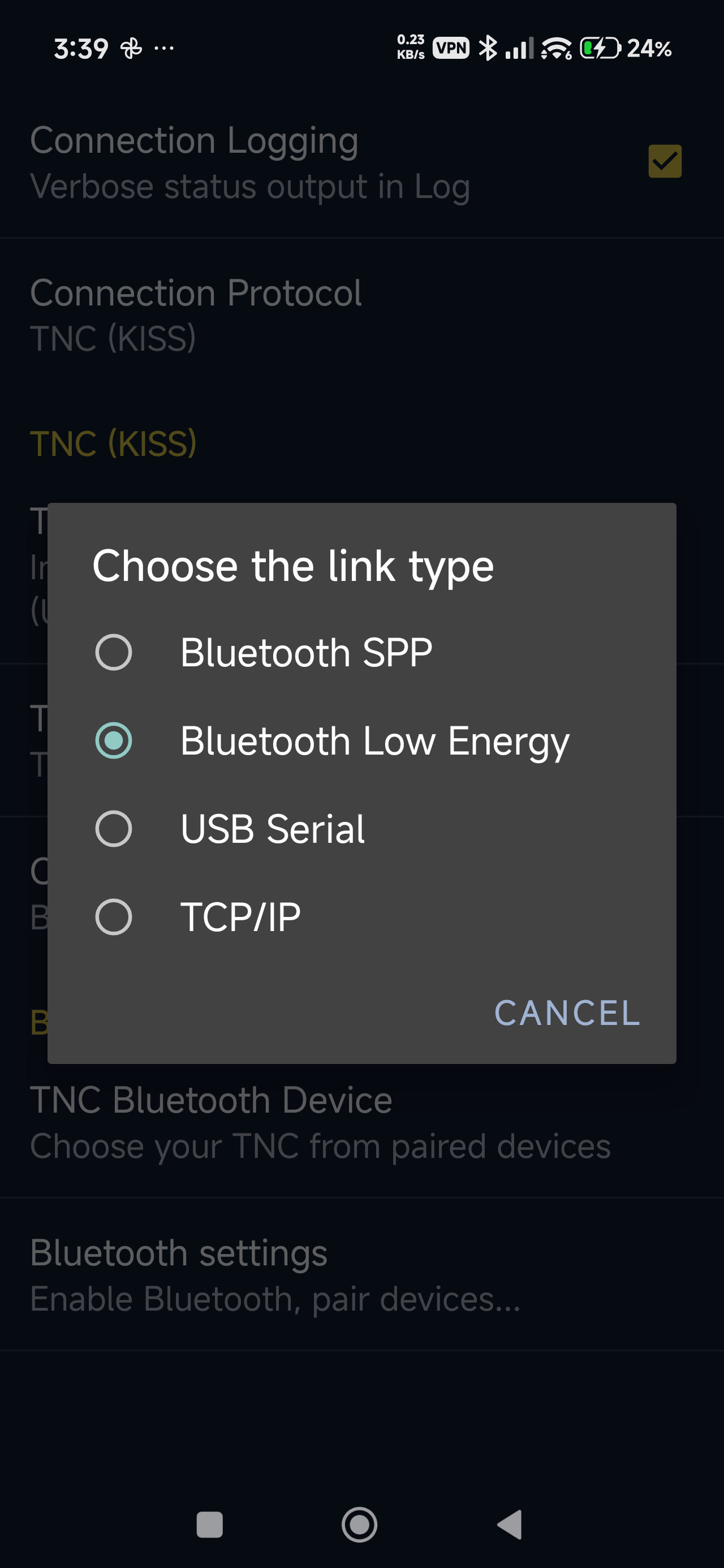
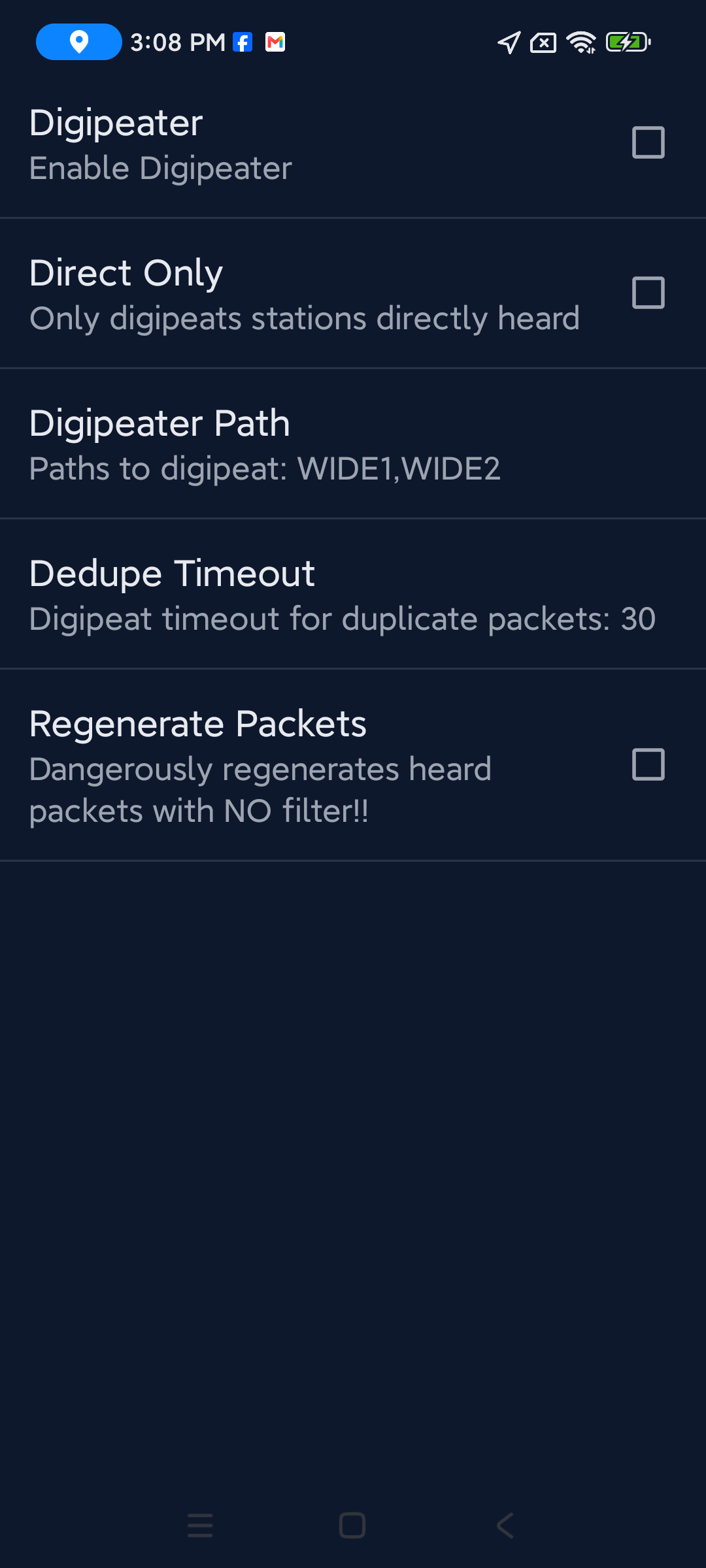
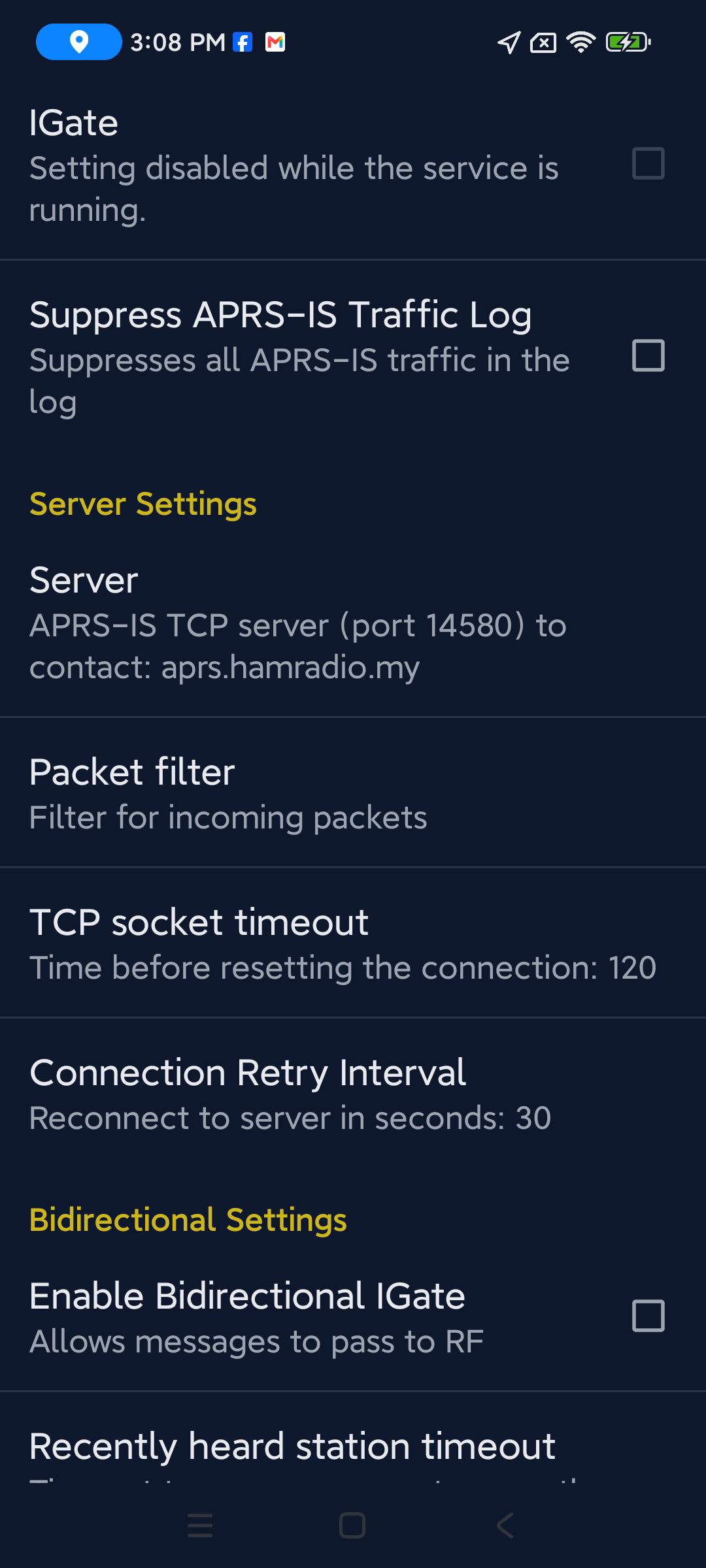
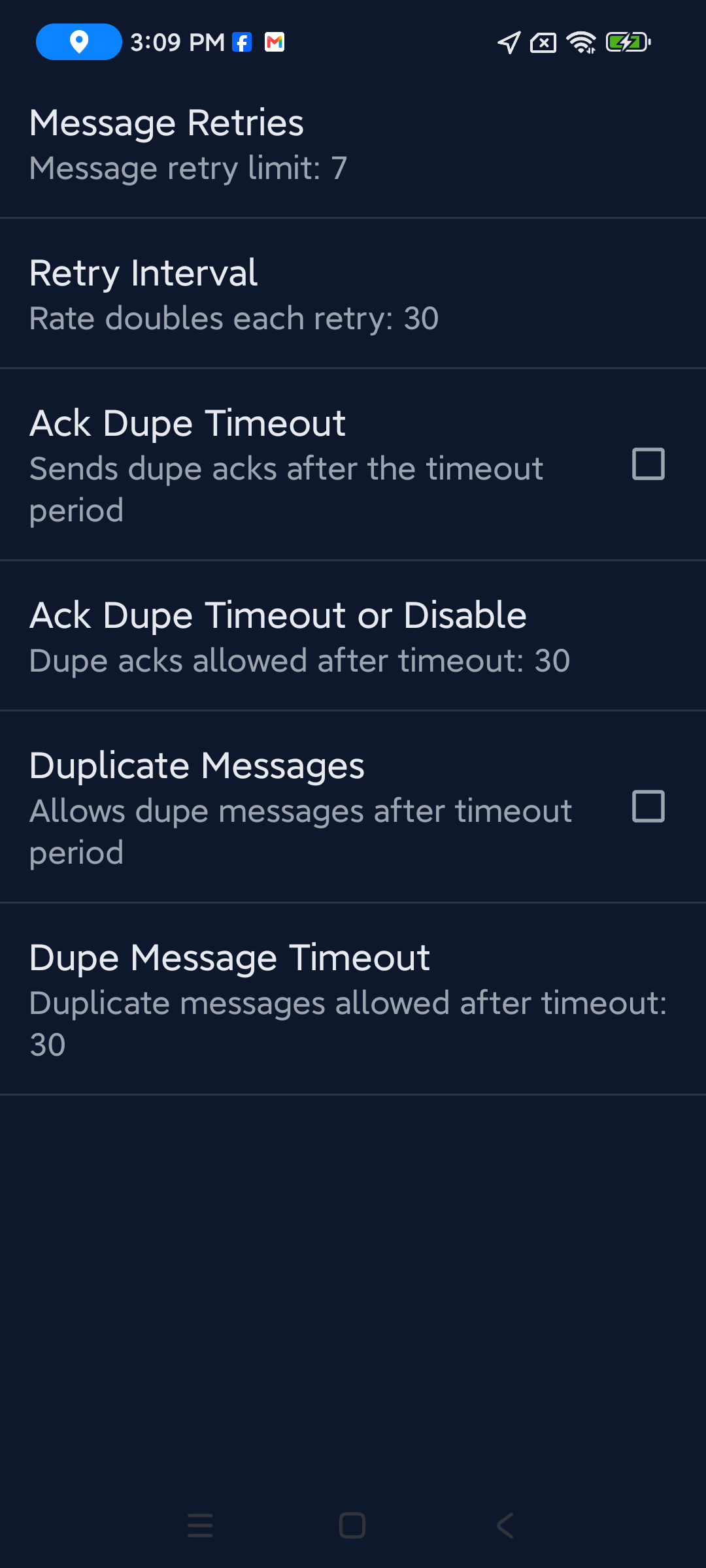
Features
Everything you need for APRS on Android - position reporting, messaging, offline maps, digipeating, IGating, and more.
Real-time position reporting
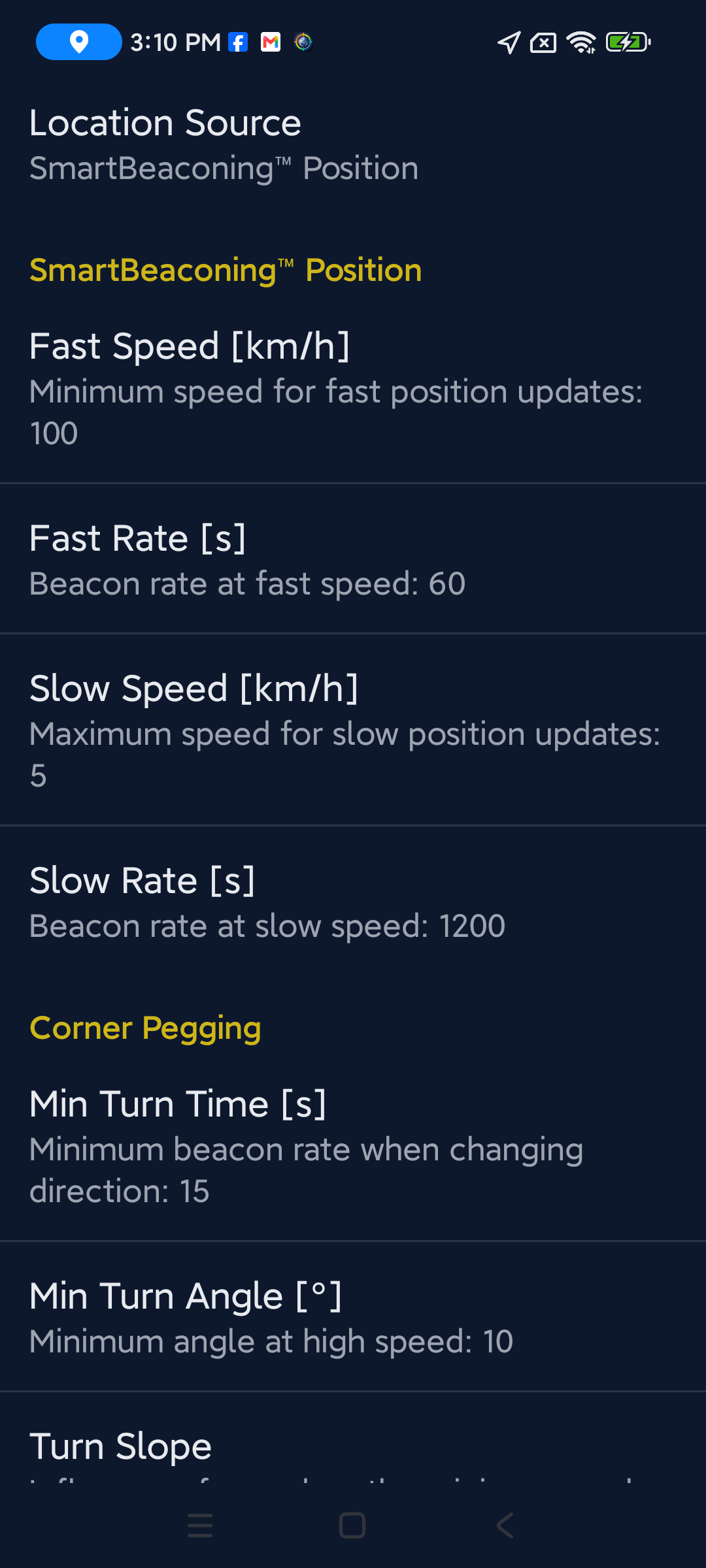
GPS, fixed, periodic, or SmartBeaconing™. Share your location on the APRS network.
Offline maps
MBTiles + MapsForge V3. No Google Maps dependency - full OSM compatibility, works without a data connection.
APRS messaging
Send and receive messages through the network. Per-station conversation threads.
Digipeater & I-gate
Full 2-way Internet Gateway. Direct or full digipeating. Flexible packet routing (RF + APRS-IS, or RF-only while IGating).
Radio control
Support for Vero, BTech, Radioddity, and other radios. DigiRig interface support.
Bluetooth TNC
Classic Bluetooth and stable BLE support. KISS, TNC-2, Kenwood, and AFSK protocols.
Mic-E compression
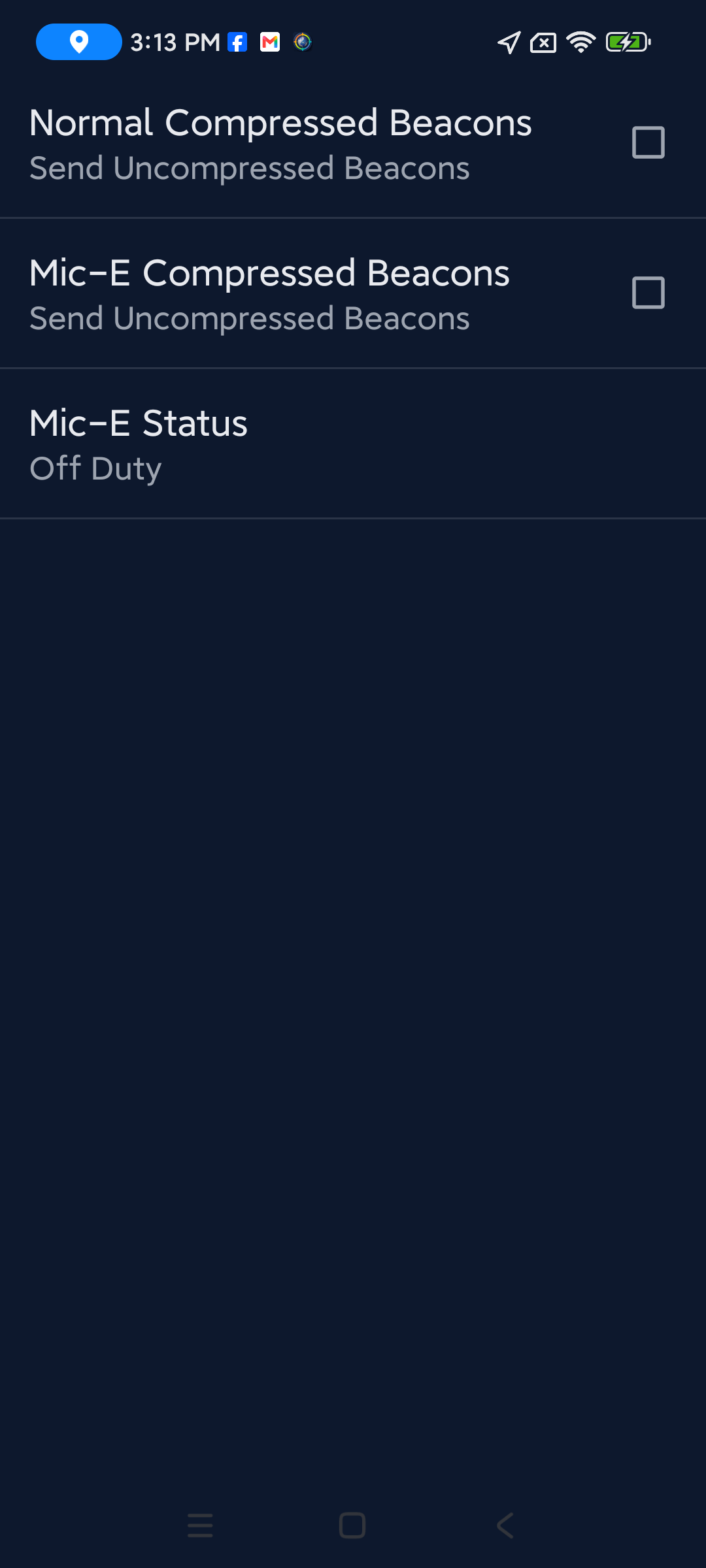
Efficient position encoding with Mic-E, including EMERGENCY status support.
Enhanced station viewer
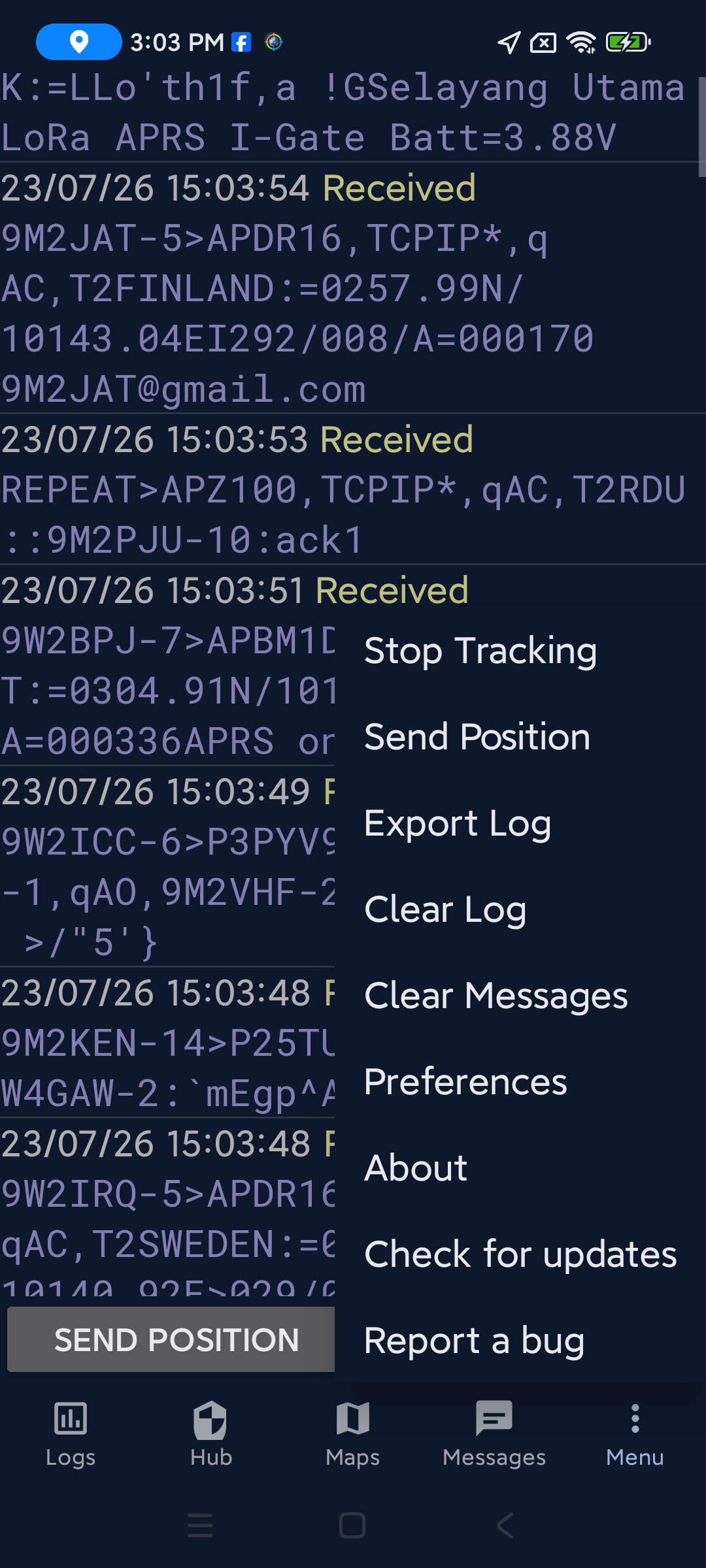
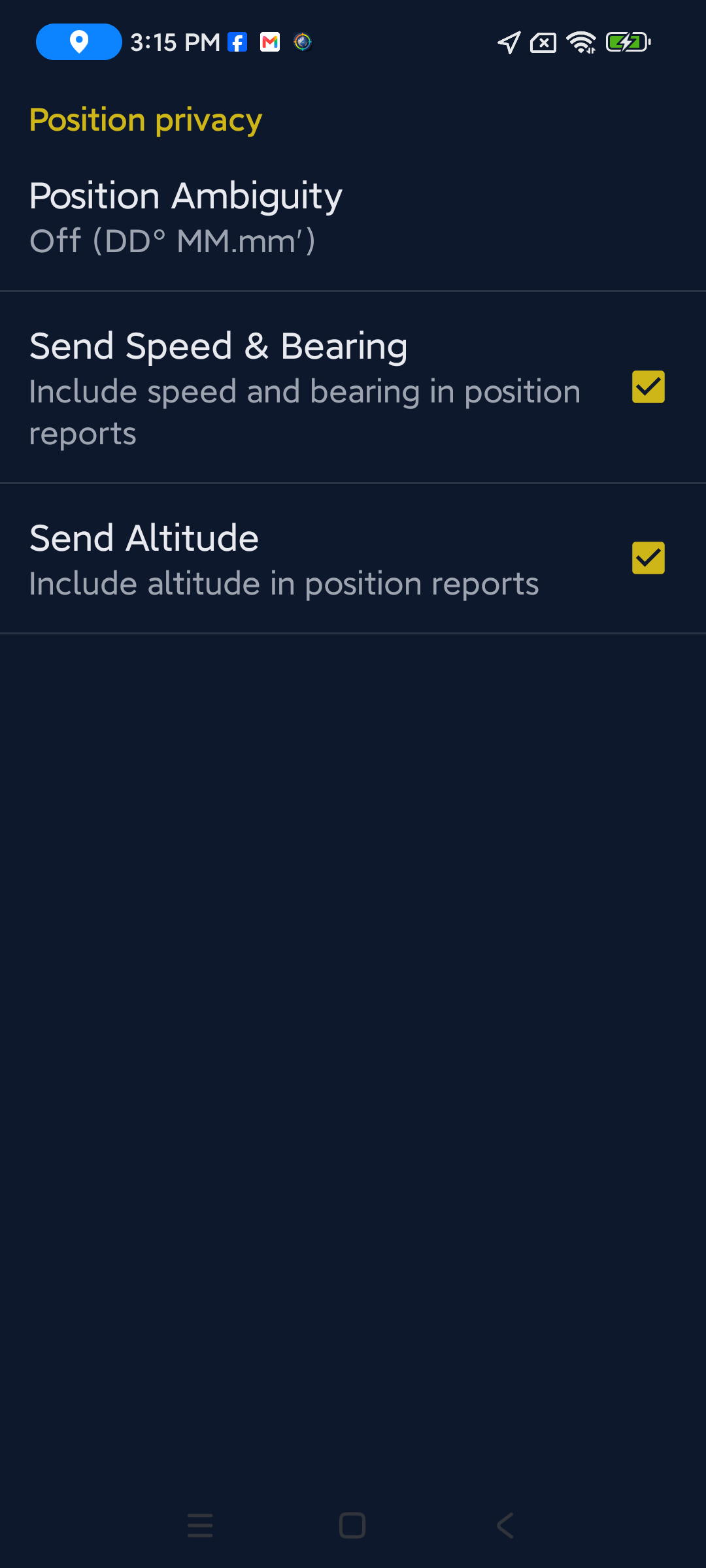
Hub log sortable by distance or newest. Speed, course, and altitude information.
Enhanced features (inherited from NA7Q's fork)
These features come from NA7Q's enhanced APRSdroid fork and are not found in the official APRSdroid.
RF & networking
- Digipeater - direct or full digipeating capabilities.
- 2-Way IGating - full Internet Gateway functionality.
- Flexible packet routing - send packets via RF and APRS-IS, or RF only while IGating.
- Radio control - support for Vero, BTech, Radioddity, and other radios.
- DigiRig support - seamless integration with DigiRig interfaces.
- Bluetooth Low Energy - stable BLE support.
Advanced offline mapping
- Offline maps with MBTiles - complete offline operation capability.
- MapsForge V3 support - enhanced offline mapping with MapsForge.
- Online map sources - choose between OSM (OpenStreetMap Standard) and OTM (OpenTopoMap) topographic tiles from the overlays menu.
- Google Maps not supported - the mod uses OSM maps (MBTiles + MapsForge V3) for offline mapping, privacy, and zero dependencies.
Data & compression
- Mic-E compression - efficient position encoding.
- Mic-E emergency status - including EMERGENCY status support.
- Standard compression - multiple compression formats supported.
User experience enhancements
- Unit options - choose between Metric or Imperial units.
- Hardware control - option to disable hardware acceleration.
- Enhanced station viewer - added speed and course information.
- Advanced messaging tweaks - features for power users.
- Message ID control - option to disable Message ID.
- Smart Hub log - sort by distance or newest stations.
- Under-the-hood improvements - numerous performance and stability enhancements.
9M2PJU Mod additions
Features added by the 9M2PJU Mod on top of NA7Q's fork.
Online map sources
- OSM - OpenStreetMap Standard street map tiles from openstreetmap.org, up to zoom 19.
- OTM - OpenTopoMap topographic tiles with contour lines and hillshading from opentopomap.org, up to zoom 17. Useful for terrain assessment and VHF/UHF line-of-sight planning.
- Google Maps disabled - no Google Maps API key bundled; the menu items are greyed out. The mod uses OSM and OTM for privacy and zero dependencies.
- Switch without restarting - switching between OSM and OTM reloads tiles in-place without closing the map.
Winlink APRSLink integration
- Winlink email over APRS - send and receive Winlink emails via the WLNK-1 APRSLink gateway, using APRS messages.
- Secure challenge-response login - password challenge handshake with cached answer for retransmitted challenges.
- Stale session recovery - detects and force-closes stale WLNK-1 sessions so you can immediately retry with a fresh challenge.
- Rate-limit cooldown - parses WLNK-1 rate-limit errors and blocks login attempts during the cooldown period.
- RF-safe TX pacing - two-gate throttling (3s min TX gap + 6s RX courtesy) on RF backends to protect the radio and digipeaters, modelled on LoRa APRS Tracker.
- Fast email over APRS-IS - skips TX pacing on internet (TCP/UDP/HTTP) backends so multi-line emails send in seconds instead of minutes.
- Active login timeout - 2-minute timer resets the Login button if WLNK-1 never replies (no digipeater heard, poor RF path, etc.).
APRS Bulletins
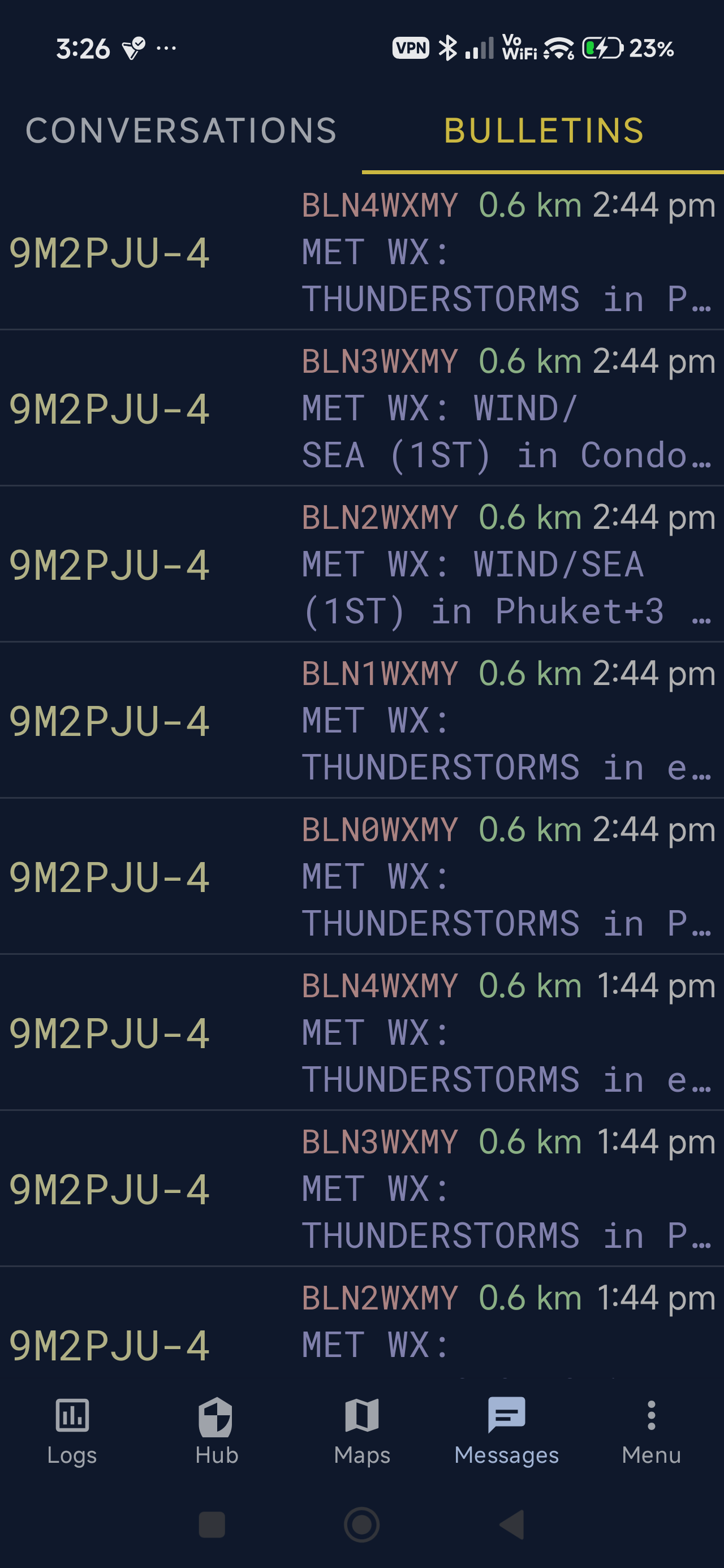
- Bulletins tab - dedicated tab in the Messages window for BLN* bulletin messages (BLN0-BLN9, BLNA-BLNZ).
- Distance filter - configurable radius (default 500 km) limits reception to bulletins from stations within range. Set to 0 for no limit.
- Bulletin detail view - tap a bulletin to see full text, sender, distance, and timestamp.
- Context menu - long-press to delete a single bulletin or clear all.
- Spec-compliant - bulletins are never ACKed (per APRS spec) and are separated from normal conversations.
UI & UX improvements
- Material Design - modern Material Design UI with bottom navigation, tab layouts, and themed dialogs.
- Conversations tab - per-callsign conversation threads with service shortcuts (WLNK-1, WTSAPP, APRSMY, APSPOT, WHO-IS, APRSThursday, and more).
- Keyboard inset handling - message input stays visible above the soft keyboard on Android 14+.
- Realtime message replies - package-directed broadcasts for Android 14+ compatibility.
- In-app update checker - checks for new releases on startup with a download link.
- Bug report tool - in-app bug reporting via the issue tracker.
APRS Messaging Bots & Services
The Messages screen provides one-tap access to a growing suite of APRS-based bots and gateway services. Each service is a remote callsign you can converse with using quick-action buttons - no need to memorize commands. Just open a conversation, tap a button, and the app sends the correctly formatted APRS message for you.
Conversations screen
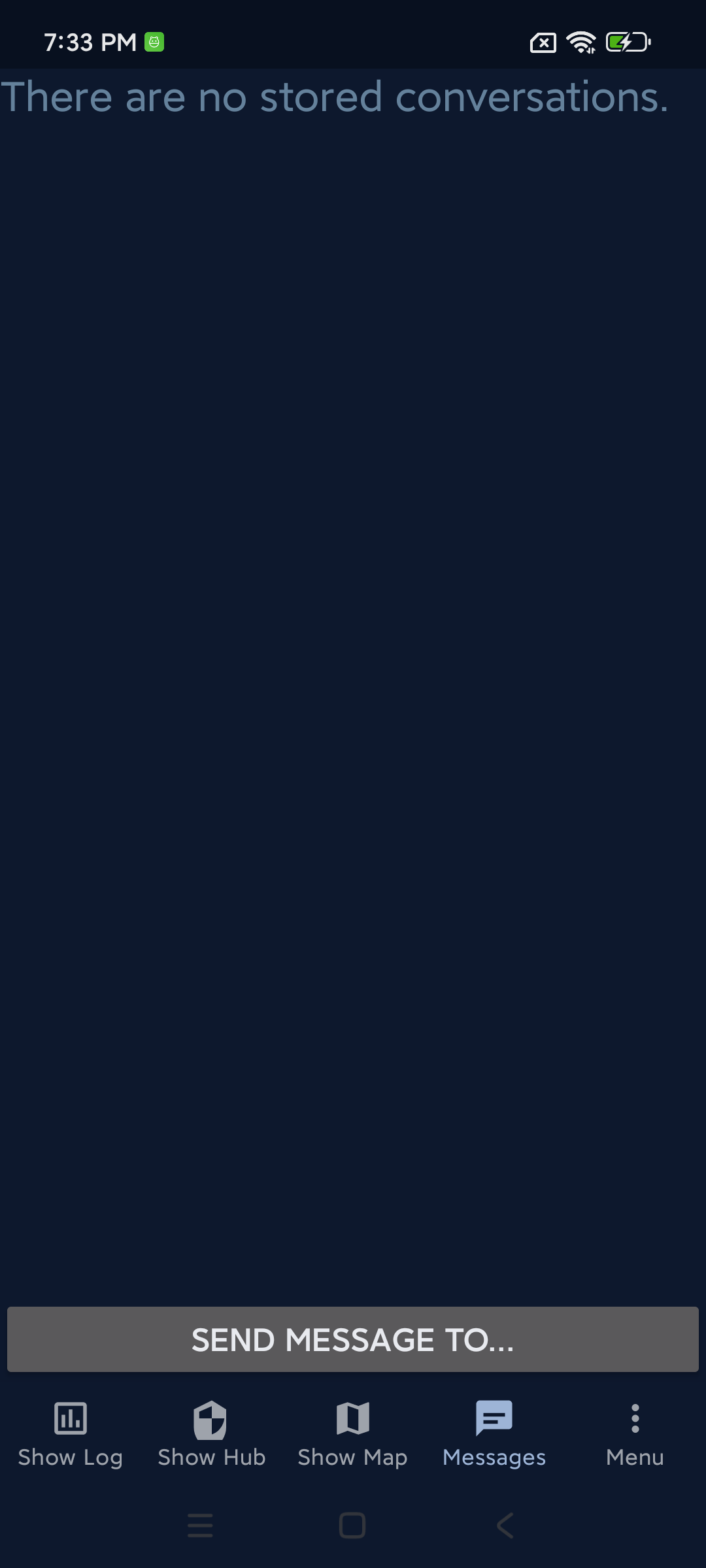
Twelve service buttons in a 4×3 grid, with a full-width “Send message to…” button on top for starting new conversations with any callsign.
Winlink (WLNK-1)
Send and receive Winlink email via APRSLink. The app handles the full login handshake automatically - password challenge, response computation, and session management.
9 buttons: Login, Logout, Help, List, Read, Reply, Compose, Forward, Kill.
Type: Stateful (maintains a login session).
WTSAPP
WhatsApp gateway - send WhatsApp messages via APRS. Manage aliases, compose messages, and remove aliases.
3 buttons: Alias, Compose, Remove.
Type: Stateless.
9M2PJU-4 BOT
Multi-function APRS bot operated by 9M2PJU. Provides weather, location lookup, satellite predictions, SOTA/POTA spots & alerts, nearby emergency services, and HF propagation forecasts.
13 buttons: Help, Today, PosMsg, WhereIs, WhereAmI, RiseSet, SatPass, SOTA, POTA, Police, Hospital, Fire Stn, Prop.
Type: Stateless.
APRSMY Net
Malaysian APRS network service. Check in to the net, get net info, list check-ins, and more.
7 buttons.
Type: Stateless.
MAILMY
Lightweight email gateway. Send single-packet email instantly, or build a multi-packet draft with Draft, Append and Send. SendLoc emails your position, Status shows the active draft, Cancel drops it.
8 buttons: Email, Draft, Append, Send, SendLoc, Status, Cancel, Help.
Type: Stateless.
REPEATER
Find nearby amateur radio repeaters using the REPEAT protocol. Specify number (1-10), band (2m, 70cm, 6m, 10m, 1.25m, 33cm, 23cm), and optional capability filters (+echolink, +dstar, +ares, +fusion, +dmr, etc.).
2 buttons: Nearest, Help.
Type: Stateless.
CALLMY
Check Malaysian amateur radio callsign info and license expiry. Enter any Malaysian callsign to get registration and expiry details.
2 buttons: Callsign, Help.
Type: Stateless.
BBSMY
APRS BBS (bulletin board system). List messages, read by number, post public bulletins, send private messages, and post urgent notices.
6 buttons: List, Msg, Post, Send, PostUrgent, Help.
Type: Stateless.
GAMEMY
APRS trivia game. Start a game, get hints, skip questions, check your score, view the leaderboard, and stop the game.
7 buttons: Start, Hint, Skip, Score, Top, Stop, Help.
Type: Stateless.
APSPOT
Amateur radio spot posting and lookup service. Post spots for POTA, SOTA, WWFF, and other park/summit activities, and retrieve recent spots from the same activities. Supports mode filtering (CW, SSB, FM, etc.) and count limits.
5 buttons: Help, Spots POTA, Spots SOTA, Spots WWFF, Spot Post.
Spot Post opens a dialog with fields for Activity,
Reference, Frequency, Mode, and optional Comment, then sends
! <Activity> <Ref> <Freq> <Mode> [Comment]
to APSPOT.
Type: Stateless.
WHO-IS
The WHO-IS bot allows you to look up an operator's name and DXCC (DX Century Club) information based on their callsign. Enter a callsign and the app sends it to the WHO-IS callsign for lookup.
1 button: Look Up Callsign (opens a popup dialog with a callsign field, placeholder 9M2PJU).
Type: Stateless.
APRSThursday (ANSRVR)
APRS Thursday weekly net check-in via the ANSRVR announcement server. Check in to the HOTG group with a pre-filled default message, unjoin the group, or check in to the APRSPH Philippines subgroup.
3 buttons: Check in, Unjoin, APRSPH Check in.
Check in opens a dialog pre-filled with
“Checking via APRSdroid 9M2PJU Mod! 73” (editable) and
sends CQ HOTG <message> to ANSRVR.
Unjoin sends U HOTG directly.
APRSPH Check in opens a dialog and sends
HOTG <message> to APRSPH.
Type: Stateless.
Winlink setup
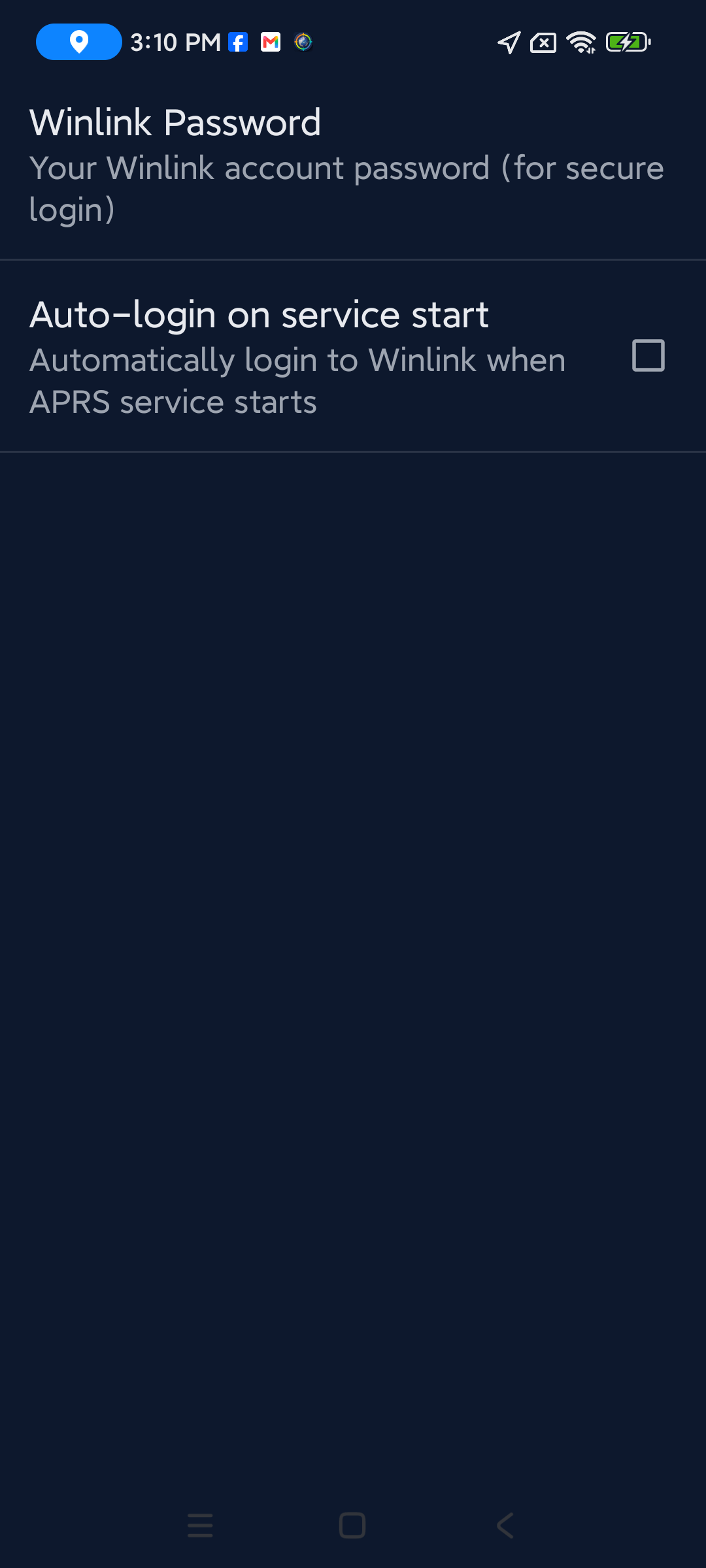
Set your callsign and Winlink password in Preferences → Messaging before using Winlink. Enable Auto-login to automatically log in when the APRS service starts. The app manages the full APRSLink handshake: password challenge, response computation, session timeout (2 hours), and automatic re-login.
Download
Get the latest APK and the Malaysia offline map below.
Latest release
9M2PJU Malaysia Offline Maps v1.0
Important: Uninstall any official APRSdroid before installing this mod
(different signing key). Android 11+ devices need to grant
All files access for offline MBTiles maps (see Settings → Offline Maps).
MapsForge .map files (recommended) do not require this permission.
Note: This build is a work in progress - some features may be incomplete or broken at the time of download, as it is actively updated. Google Maps is not supported; the mod uses OSM and OTM maps (MBTiles + MapsForge V3) for offline mapping, privacy, and zero dependencies. Online map sources: OSM (OpenStreetMap Standard) for street maps and OTM (OpenTopoMap) for topographic maps with contour lines and hillshading.
Setup
Three steps to get on the air. For offline map files, see the Offline maps section.
1. Install APRSdroid
- Uninstall any previous official version of APRSdroid (different signing key).
- Download the latest signed release APK from the Download section.
- Install the APK on your Android device (enable Install from unknown sources if prompted).
2. Grant All Files Access (Android 11+)
Required for offline mapping files on Android 11 and above:
- In APRSdroid settings, go to the Offline Maps category.
- Tap "Grant Storage Permissions".
- Grant ALL file permissions for device storage access.
3. Use MBTiles or MapsForge V3 maps
- Set the map viewer to OSM or OTM in the overlays menu to use online tiles, or use offline maps for no data connection.
- Select offline maps and enable offline mode from the preferences in the Offline Maps section.
- If offline mode is not enabled, the online OSM or OTM tile server will be used.
See Offline maps for where to download map files and tools for creating your own.
Keep APRSdroid running in the background
APRSdroid runs as a foreground service with a persistent notification, so on stock Android it keeps tracking after you close the app. However, many phone makers (Xiaomi, Huawei, Samsung, Oppo, Vivo, Realme, etc.) install aggressive battery killers that ignore the standard Android rules and will stop APRSdroid anyway. To make sure tracking survives, set APRSdroid to "No restrictions" / "Unrestricted" / "Auto-start enabled".
Stock Android (Pixel, AOSP, Android One)
- Open Settings > Apps > APRSdroid > Battery.
- Set Battery usage to Unrestricted (or No restrictions).
- If prompted, confirm that the app is allowed to use battery in the background.
On stock Android this is usually enough. The foreground-service notification keeps the service alive after you press Back or swipe the app from recents.
Xiaomi / MIUI & HyperOS
- Open Settings > Apps > Manage apps > APRSdroid.
- Under Battery saver, select No restrictions.
- Enable Auto-start.
- Open the recent apps list, long-press the APRSdroid card and tap the padlock / pin icon to lock it from being cleared.
Samsung / One UI
- Open Settings > Apps > APRSdroid > Battery.
- Set it to Unrestricted.
- Disable "Put unused apps to sleep" under Settings > Battery and device care > Background usage limits, or add APRSdroid to the Never sleeping apps list.
Huawei / EMUI
- Open Settings > Apps > APRSdroid.
- Under Battery, set App launch to Manage manually and enable all three toggles (auto-launch, secondary launch, run in background).
- Open Settings > Battery > More battery settings and disable "Power-intensive prompt" if it keeps nagging.
Oppo / Realme / Vivo (ColorOS, FuntouchOS)
- Open Settings > Battery > App battery management > APRSdroid.
- Set it to Allow background activity / No restrictions.
- Under Settings > Privacy > Permission manager (or Auto-start management), enable Auto-start for APRSdroid.
General tips for any device
- Open APRSdroid at least once every few weeks so the system does not flag it as "unused" and revoke its permissions (Android 12+ app hibernation).
- Keep location permission set to Allow all the time if you use a fixed or periodic position source.
- Do not swipe APRSdroid away from the recents list on aggressive OEM ROMs, even though stock Android says a foreground service should survive that.
- If the APRSdroid status notification disappears while you expect tracking to be running, your OEM killer almost certainly stopped it - re-check the battery settings above.
Connecting a LoRa APRS tracker via Bluetooth (BLE KISS TNC)
Pair your LoRa APRS Tracker (by CA2RXU / richonguzman) with APRSdroid 9M2PJU Mod over Bluetooth BLE KISS TNC. This lets you send and receive APRS packets over LoRa radio using your phone as the APRS client, without a phone data connection. Works with LilyGO T-Beam, TTGO T-Beam, Heltec WiFi LoRa 32, RAK Wireless modules, and other ESP32-based APRS trackers running BLE KISS TNC firmware.
Requirements
- A LoRa APRS tracker board with BLE KISS TNC firmware (e.g. richonguzman's LoRa APRS Tracker)
- Android phone with Bluetooth
- APRSdroid 9M2PJU Mod installed
1. Enable BLE KISS TNC on the LoRa APRS Tracker
- Power on your LoRa APRS Tracker.
- Press the RST button 3 times to open the config menu, then select Enable WiFi AP.
- On your phone or computer, connect to the tracker's WiFi AP (network name usually LoRaTracker-AP).
- Open a browser and go to
http://192.168.4.1to open the tracker's web configuration page. - In the Bluetooth or BLE section, enable Bluetooth Low Energy (BLE).
- Set the BLE mode to KISS TNC so the tracker exchanges raw KISS frames over the BLE link.
- Save the configuration and reboot the tracker if prompted.
2. Pair the tracker with your phone
- On your Android phone, open Settings > Bluetooth and enable Bluetooth.
- Tap Pair new device (or scan for devices).
- Select your LoRa APRS Tracker from the list (its name usually contains LoRa or your callsign-SSID).
- Confirm the pairing on both the phone and the tracker if prompted.
3. Configure APRSdroid to use BLE KISS TNC
- Open APRSdroid 9M2PJU Mod on your phone.
- Tap the Menu button (three dots, top right) and select Preferences.
- Under Connection, set the protocol to TNC (KISS).
- Set the link type to Bluetooth Low Energy.
- Tap Bluetooth device and select your paired LoRa APRS Tracker from the list.
- Press Back to return to the main screen.
4. Connect and verify
- From the main screen, tap the Start tracking button (or use the menu Start tracking option).
- APRSdroid will establish the BLE KISS TNC connection to your tracker.
- Open the Log tab to view packet activity.
- You should see
BLE OKin the log, confirming the Bluetooth BLE link to your LoRa APRS Tracker is active. - Incoming LoRa APRS packets will now appear in the log and on the map. Your position beacons will be transmitted over LoRa through the tracker.
Troubleshooting
- No BLE OK in the log: Ensure the tracker's BLE KISS TNC mode is enabled and the device is paired. Try toggling Bluetooth off and on, then reconnect from APRSdroid.
- Device not in the Bluetooth list: Make sure the tracker is powered on and was paired in Android Settings first. APRSdroid can only select devices that are already paired at the system level.
- Packets not going out: Check that the tracker's LoRa frequency and callsign-SSID match your APRSdroid settings. The tracker must be on the same frequency as the stations you want to reach.
- Connection drops: BLE range is typically 10-30 metres line-of-sight. Keep your phone close to the tracker and avoid obstacles between them.
How it works
GPS → Phone → APRSdroid → BLE → LoRa Tracker → LoRa Radio → APRS Network
                                                    ↓
                                          Received packets → APRSdroid
- Outgoing: APRSdroid gets your GPS position, formats an APRS packet, and sends it to the tracker via BLE KISS TNC. The tracker transmits it over LoRa radio.
- Incoming: The tracker receives LoRa APRS packets and forwards them to APRSdroid via BLE. APRSdroid decodes and displays them.
Offline maps
APRSdroid uses OSM-based offline maps (MBTiles or MapsForge V3). Online map sources include OSM (OpenStreetMap Standard) and OTM (OpenTopoMap). Download a ready-made map below or create your own with the tools listed.
Malaysia, Singapore & Brunei
A ready-to-use offline map for Malaysia, Singapore, and Brunei is
available as a release asset (MapsForge .map file).
Download 9M2PJU Malaysia Offline Maps ↓
~522 MB · MapsForge .map · Malaysia + Singapore + Brunei
Installation
- Download the
9M2PJU-Malaysia-Singapore-Brunei.mapfile - Copy it to your phone (any folder)
- In APRSdroid: Menu → Preferences → Offline Maps → Select MapsforgeV3 or .mbtiles map
- Select the
.mapfile you copied - Enable "Enable offline mapping"
- Open Map - the offline map loads without internet
Where to get maps
APRSdroid supports two offline map formats: MapsForge .map
(vector, compact, recommended) and MBTiles (raster tiles, must be
PNG or JPG - not Vector or PBF). Pick the format that matches your
workflow below.
Recommended:
extract.bbbike.org
is the easiest way to get a custom MapsForge .map file for any region in the
world - no install required, runs in your browser, and produces ready-to-use files for
APRSdroid. Just pick your area, choose MapsForge as the format, and download.
MapsForge .map files (vector, recommended)
| Tool | Platform | Description |
|---|---|---|
| BBBike MapsForge | Web (any) | Custom MapsForge OSM maps online - drag a bounding box, pick MapsForge format, download. No install. |
| 9M2PJU Malaysia Map | Any | Ready-to-use MapsForge .map for Malaysia, Singapore, and Brunei (see download button above). |
MBTiles (raster tiles, PNG/JPG only)
NA7Q provides several tools for downloading MBTiles for offline use. These produce PNG/JPG tile sets - do not use Vector or PBF MBTiles with APRSdroid.
| Tool | Platform | Description |
|---|---|---|
| World Map | Any | Ready-to-use starter world MBTiles (zoom level 6). |
| OSM Map Maker | Windows | GUI tool for downloading OSM MBTiles. |
| Python Map Maker | Win/Mac/Linux | Python script version, cross-platform. |
| Multi-Map Maker | Windows | Supports Google, Google Sat, Google Terrain, OSM, USGS, USFS, Canada Topo, Thunderforest, MapBuilder Light/Dark, and more. |
| Map Viewer | Windows | Preview different map types to see which style you prefer. |
BBBike tips (MapsForge)
- Drag the bounding box on the map to your region of interest, or use the search field for a city name.
- In the Format dropdown, pick MapsForge (not Garmin, not SVG).
- Leave the default Map Style unless you need a specific theme.
- Download the
.mapfile and copy it to your phone - no extraction needed.
MBTiles tips (NA7Q tools)
- Use a precise location for best results (e.g. "Portland, Oregon", "Oregon USA", "Texas USA"). Use the Map Viewer to double-check the selected area.
- Zoom level is required (1-18). A distance input is optional - if left blank for a city, state, or region, it will download everything within that boundary.
- For states or larger, zoom 13-14 is recommended. Washington State at zoom 15 is 2-5GB depending on the map used.
- Not all maps support all zoom levels or areas - research the map type you want.
About & credits
APRSdroid has a rich history of contributions from the amateur radio community. This project stands on the shoulders of giants.
Georg Lukas (DO1GL) - Original Author
APRSdroid was created by Georg Lukas (DO1GL) and has been the premier APRS client for Android since 2010. Written in Scala with a Java core, it supports TCP/IP, AFSK, Bluetooth TNCs, and USB TNCs. Georg continues to maintain the upstream project and graciously licenses it under the GNU GPLv2 so that the community can build on his work.
NA7Q - Enhanced Fork
NA7Q's fork builds on Georg's original work with significant enhancements:
- BLE TNC support for modern Bluetooth TNCs (Mobilinkd, DigiRig, etc.)
- Digipeater and IGate functionality
- Symbol overlay support
- Mic-E decoding improvements
- Various bug fixes and compatibility updates
NA7Q's fork is the direct upstream of this mod.
Bob Bruninga, WB4APR - Creator of APRS
Bob Bruninga, WB4APR (1947-2022) created the Automatic Packet Reporting System (APRS) in the 1980s. His vision of a real-time, position-aware digital communications network for amateur radio lives on in every APRS client, igate, and digipeater worldwide. Without Bob's pioneering work, none of this would exist.
APRS® is a registered trademark of Bob Bruninga, WB4APR.